
In order to do this you need to go to Company Settings -> Integrations -> Online payment settings -> Settings
Important! Only Administrators have access to these settings.
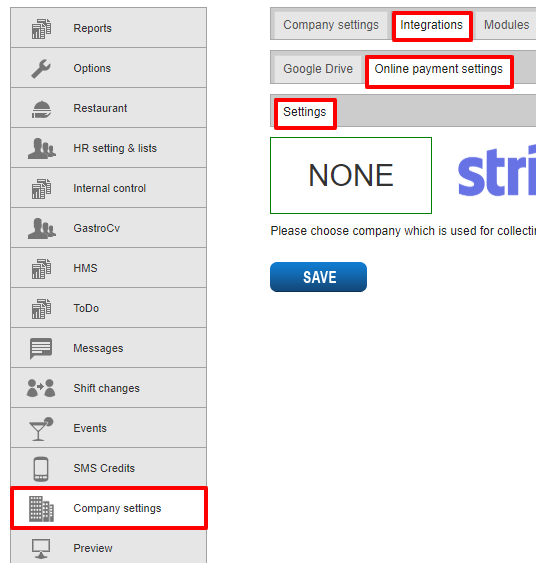
And then select company you want to use for collecting online payments. You can choose between Stripe and PayEx.

Later you need to create an account on the company's website and get access keys which should be copied and pasted in the specific fields in the application (see image)
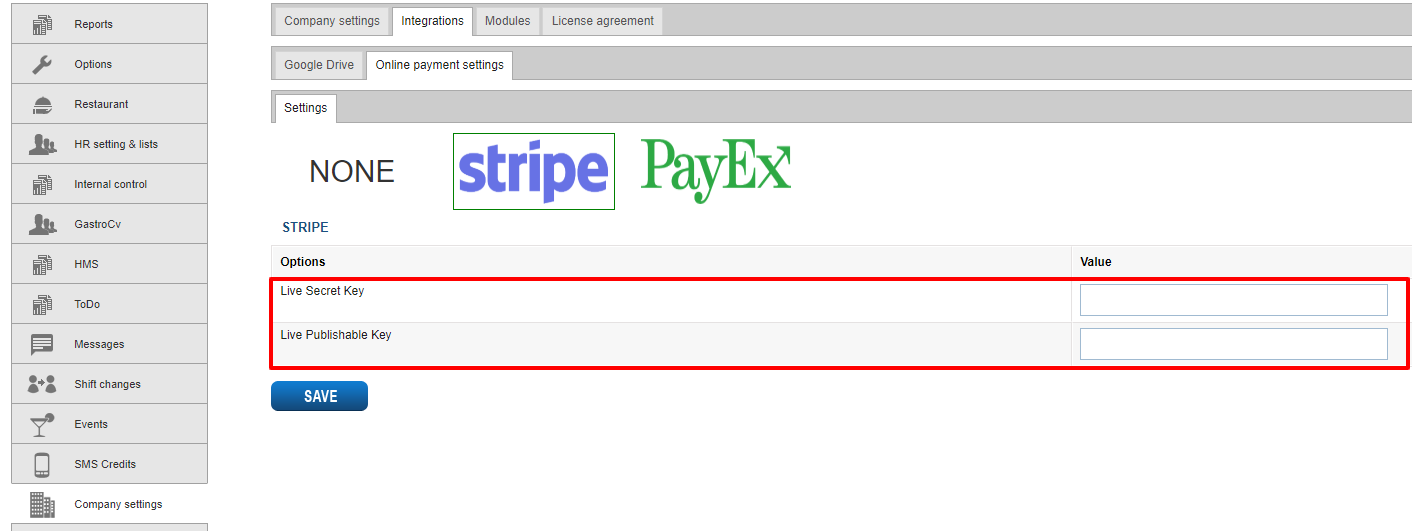
Once it is done you can activate payments for regular bookings and events. Here's how you do this:
1. Regular bookings
Go to Company settings -> Integrations -> Online payment settings -> Regular bookings where you set up payment type, amount and specify terms and conditions
2. Events
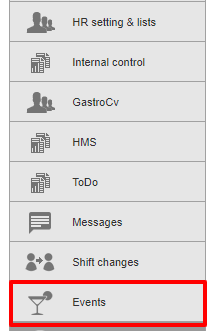
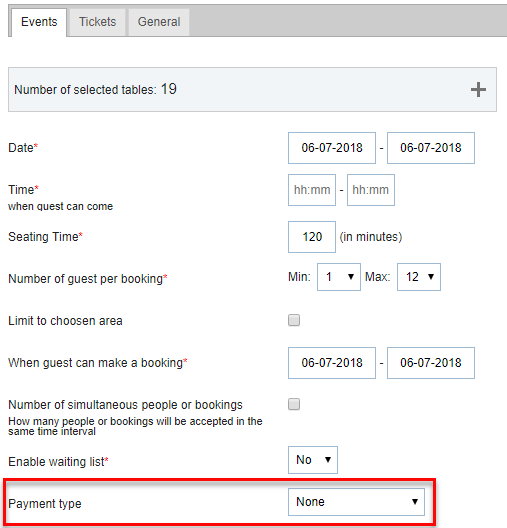
Go to Events, click on "Add event", select payment type and what you want to get payment for (see images below). If it comes to terms and conditions for events, you can specify them under Company Settings -> Integrations -> Online payment settings -> Events

Kommentarer
0 kommentarer
Logg på hvis du vil legge inn en kommentar.