
It’s easy to print your Table Cards for your Restaurants! This is how you do it:
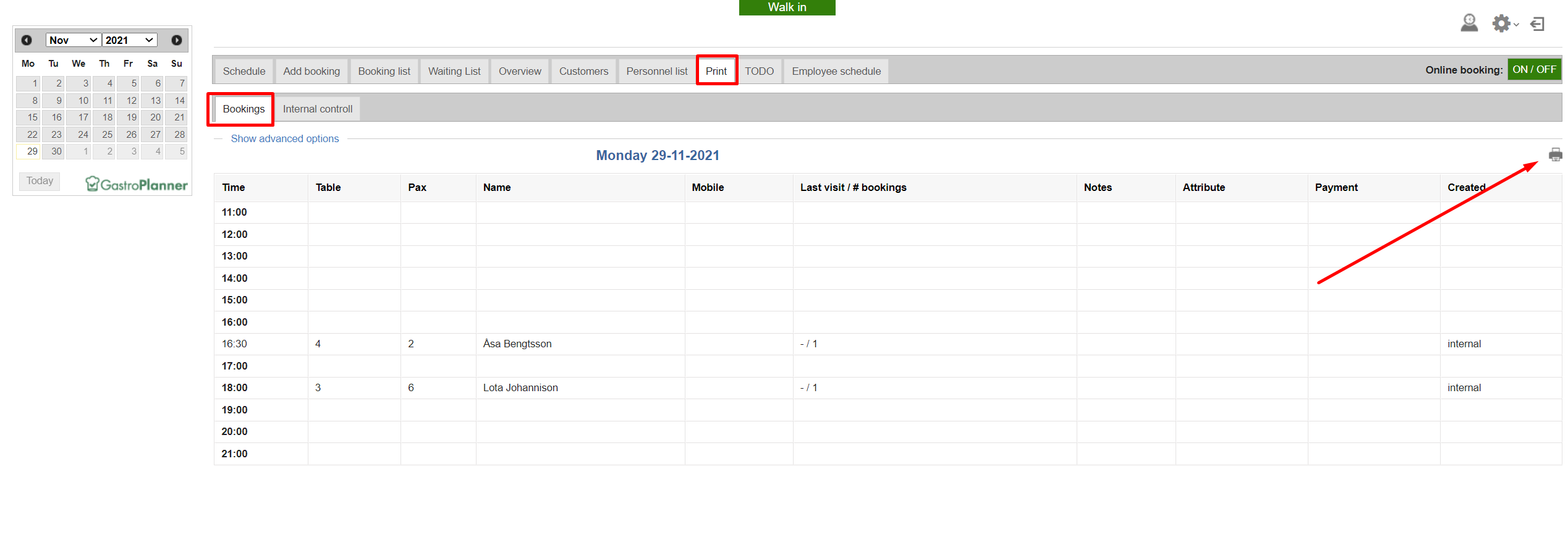
Go to your Schedule view. Click on Print /bookings and the printer icon on the right-hand side.
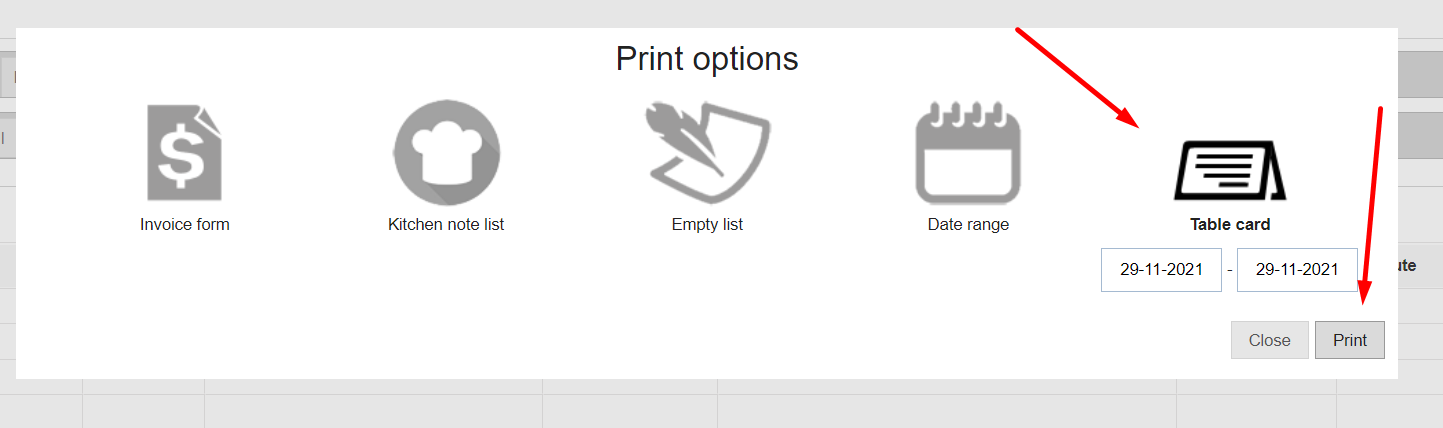
Choose Table card, the correct date(s), and click on Print
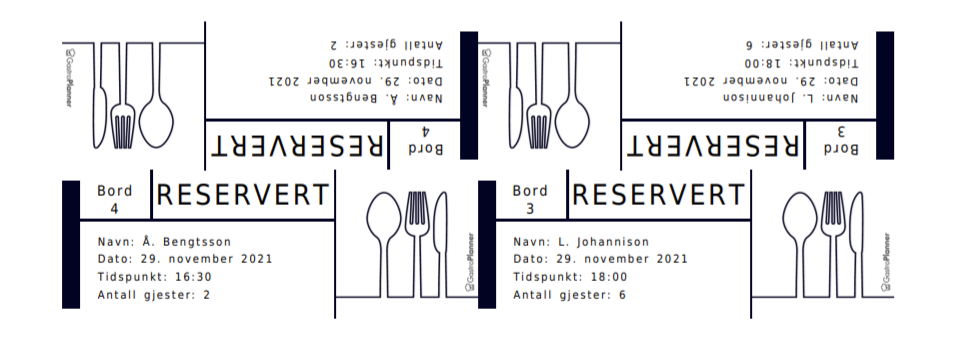
Use your scissors and cut the cards and place on the table!
Kommentarer
0 kommentarer
Logg på hvis du vil legge inn en kommentar.